

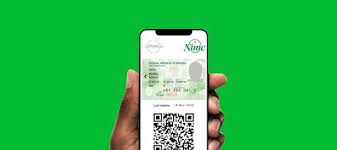
If you recently registered for a National Identification Number (NIN) at a NIMC enrolment center and received a tracking ID, you can use that tracking ID to check the status of your NIN online and retrieve the number once it’s issued. The tracking ID helps you follow up on your application without visiting the National Identity Management Commission (NIMC) office.
What Is a NIN Tracking ID?
A NIN tracking ID is a unique reference code given to you immediately after completing your NIN registration at a NIMC enrolment center. It links your application record to your identity and is used to monitor the progress of your NIN request.


The tracking ID is important because it allows you to:
- Check your NIN registration status online.
- Verify when your NIN is ready for collection.
- Ensure your information was recorded correctly.
Step-by-Step Guide to Check NIN with Tracking ID
Here’s how to check your NIN status using your tracking ID:
Step 1: Find Your Tracking ID
After registering for your NIN, you should have received a receipt with your tracking ID. This might be printed on paper or sent to your phone or email. Keep this tracking ID safe because you’ll need it to check your status.
Step 2: Visit the Official NIMC Website
Open your phone or computer browser and go to the official NIMC website at nimc.gov.ng. Use only the official site to avoid scams or misuse of your data.
Step 3: Go to the NIN Tracking Section
On the homepage, look for the section labelled “NIN Tracking”, “Check NIN Status”, or similar. This is the portal where you can enter your tracking ID and required details.
Step 4: Enter Your Details
Enter the following information accurately:
- Your tracking ID
- Full name as entered during registration
- Date of birth
- Phone number used at registration
Make sure every detail matches what you entered at the NIMC center. Mismatches can cause errors or failed lookups.
Step 5: Submit the Request
Click the “Submit” or “Check Status” button. The system will search the NIMC database for your record and return the status of your application.
Step 6: View Your NIN Status
If your NIN has been issued, the page will show your:
- NIN number
- Registration status (Completed or Pending)
- Date of enrolment
- Personal details linked to the NIN
Download or print this information for your records. If the NIN is still pending, check back periodically until the process completes.

Tips for Smooth Tracking
- Always use the official NIMC portal unofficial third-party sites may charge fees or misuse personal data.
- Ensure your internet connection is stable when checking online.
- Double-check your personal details to avoid errors.
- If your NIN is not ready after some time, visit the nearest NIMC enrolment center or contact their helpdesk for support.
Alternative Ways to Monitor Your NIN Status
If you can’t access the online portal or prefer another method:
- Visit a NIMC Enrolment Centre: Bring your tracking ID and valid ID for on-site support.
- Contact NIMC Helpdesk: Call or email NIMC for updates on your tracking ID.
- NIMC Mobile App: If available, use the official app to track status, view your NIN, and generate digital credentials.
What to Do When Your NIN Is Ready
Once your status shows that the NIN has been issued, you can:
- Use your NIN for SIM linking, bank accounts, government services, and formal documentation.
- Download or print your NIN slip if available through the portal or app.
Keep your NIN secure. Never share it publicly or on unofficial channels.
Summary
Checking your NIN number using a tracking ID is straightforward if you follow the official steps: find your tracking ID, visit the NIMC portal, enter your details correctly, and view your status. Always use legitimate channels and keep your information safe to avoid delays or fraud.




I’m ojugberi chukwudi I work at Lagos ng sgid demand for My I’d Card and my salary to resume my duties My account number keystone bank number 1013778779
Very great post. I just stumbled upon your
weblog and wanted to mention that I have truly enjoyed surfing around your
blog posts. In any case I will be subscribing to your feed and I hope you write again very soon!
I’m sorry for the late and response my details.
Me and my family we are appreciated